> For the complete documentation index, see [llms.txt](https://docs.mlsgrid.com/llms.txt). Markdown versions of documentation pages are available by appending `.md` to page URLs; this page is available as [Markdown](https://docs.mlsgrid.com/data-consumer-guides/how-to-setup-a-data-subscription-in-mls-grid.md).
# How To Setup A Data Subscription In MLS Grid
Learn how to configure your data subscription and manage vendor details within the MLS Grid administrative portal. This guide walks you through the essential steps to complete your data license agreements and finalize the setup process efficiently.
1\. The guide is demonstrated in the Movie below. For convenience a step-by-step guide is provided below the Movie.
{% embed url="" %}
2\. Make sure you are logged in to your MLS Grid account at [https://app.mlsgrid.com/](https://app.mlsgrid.com/admin)
 #### Subscription Setup
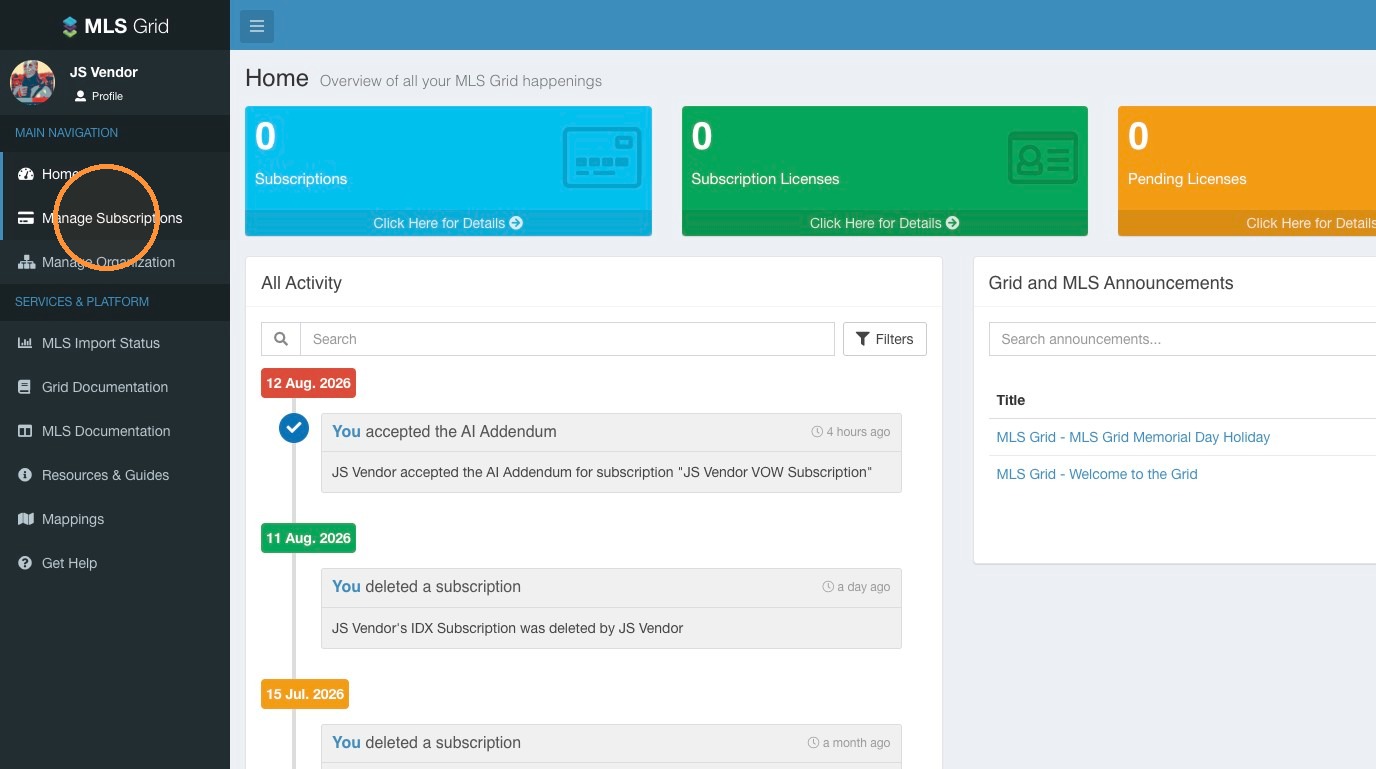
3\. Click Manage Subscriptions in the left sidebar menu.
#### Subscription Setup
3\. Click Manage Subscriptions in the left sidebar menu.
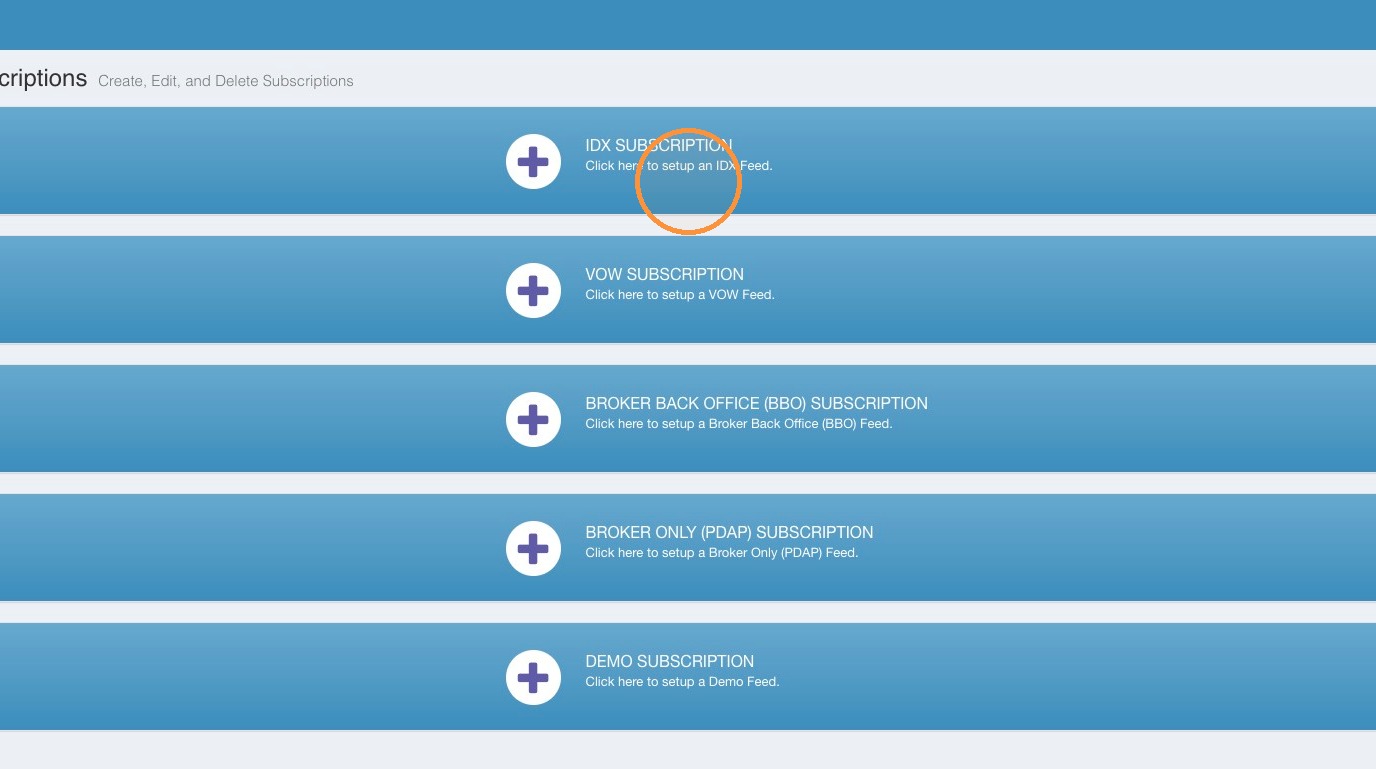
 4\. Select from the list of available data subscription types. Click on the Data Subscription type you want to create.
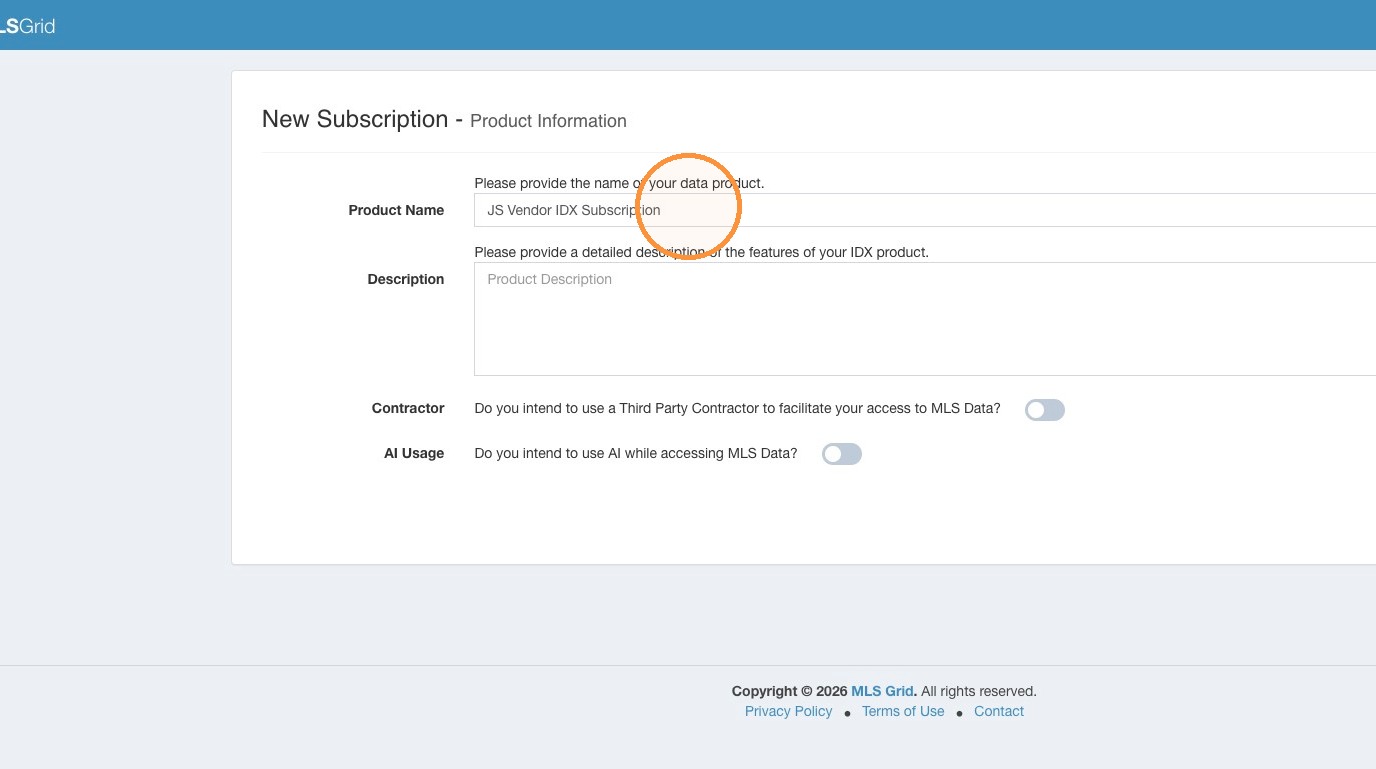
 5\. Click the "Product Name" field. Enter the name of your Product.
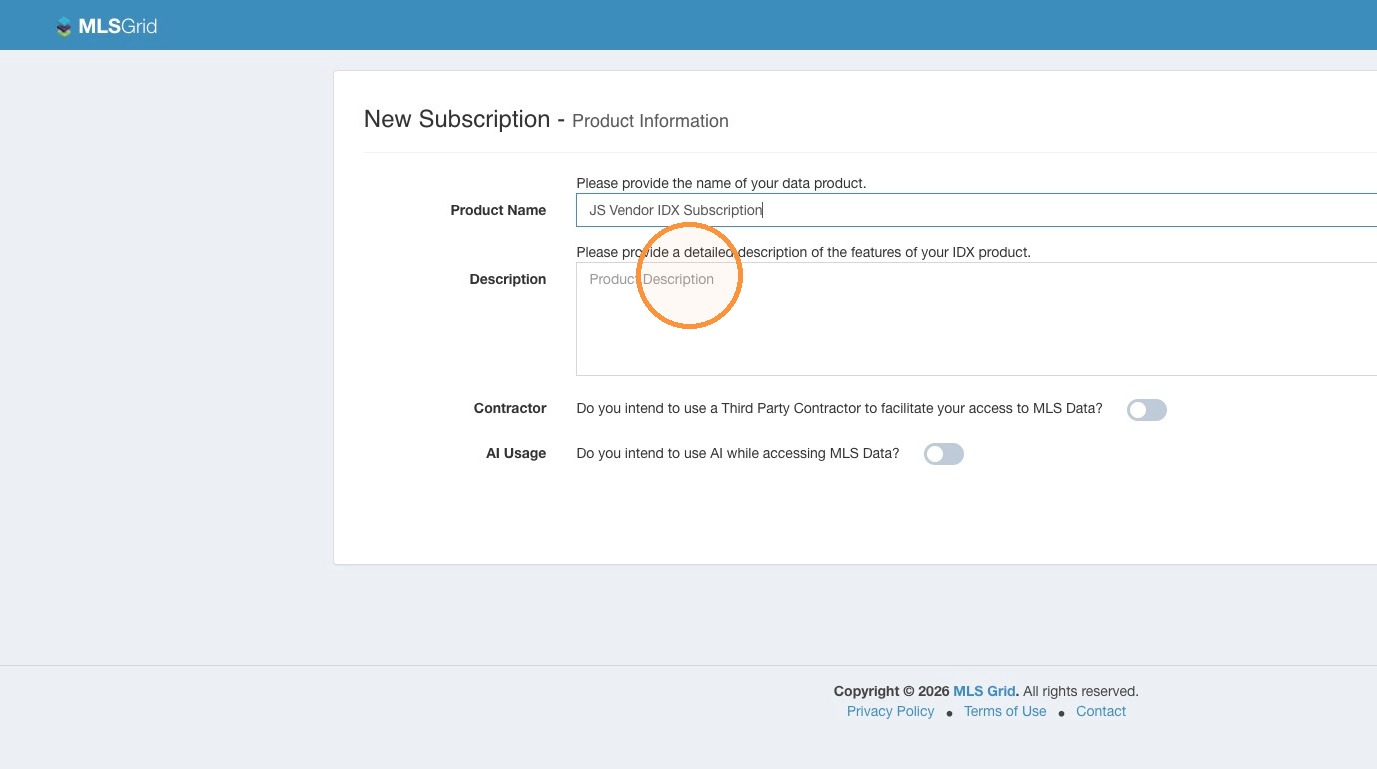
 6\. Click the "Description" field. Provide a detailed description of your Product and how you intend to utilize any MLS data you receive. If your description is not comprehensive, it may impact the MLS's decision to approve your Data Subscription.
 #### Contractor Details
Alert: If you intend to use a 3rd Party Contractor to facilitate your access to MLS Grid please follow the steps below.\
\
If you are are not using a 3rd Party Contractor you can skip to the AI Usage Disclosure of the setup process.
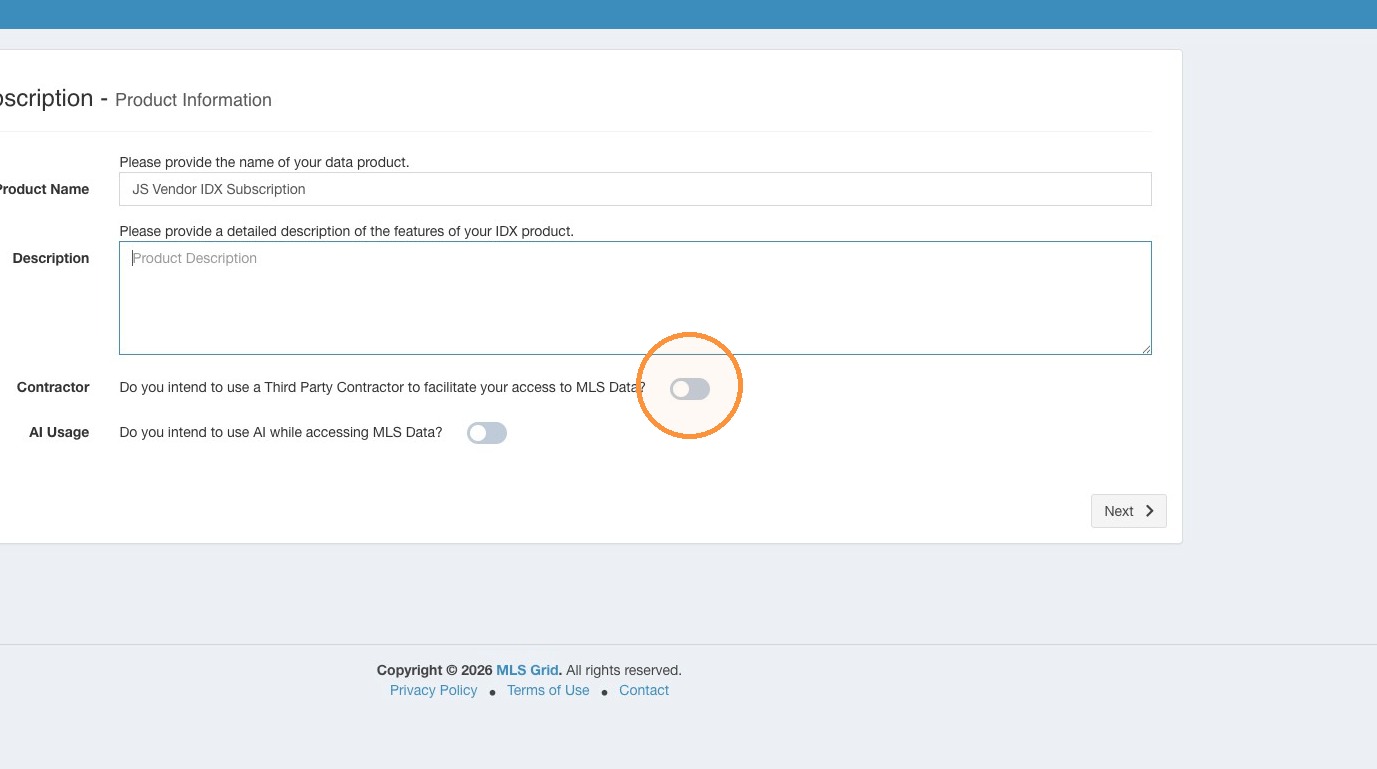
7\. If you intend to use a 3rd Party Contractor to facilitate your access to MLS Grid enable the Contractor toggle.
#### Contractor Details
Alert: If you intend to use a 3rd Party Contractor to facilitate your access to MLS Grid please follow the steps below.\
\
If you are are not using a 3rd Party Contractor you can skip to the AI Usage Disclosure of the setup process.
7\. If you intend to use a 3rd Party Contractor to facilitate your access to MLS Grid enable the Contractor toggle.
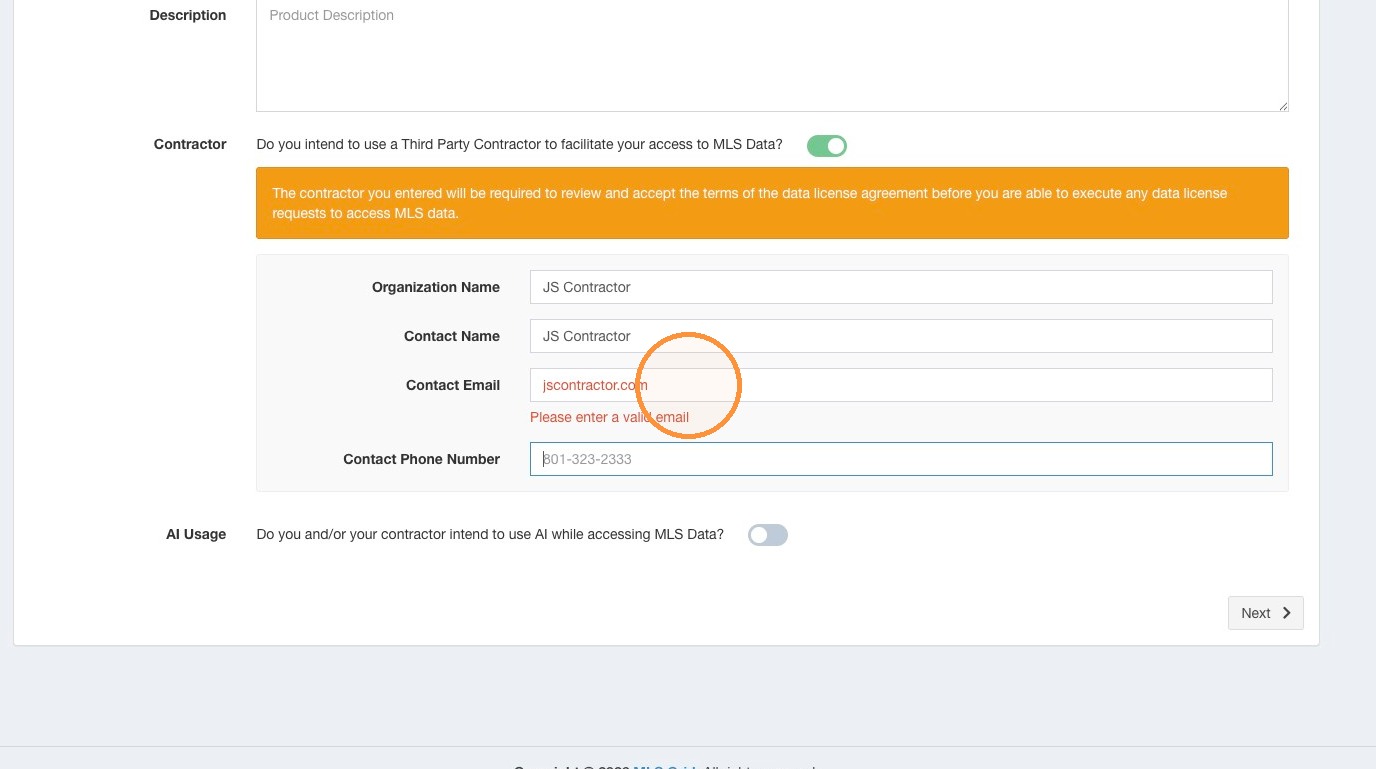
 8\. You are required to provide the requested information in the contractor contact fields. Click "Next" to continue.
 #### AI Usage Disclosure
Alert: If you intend to use any MLS Data with AI (Artificial Intelligence, Large Language Models, etc.) you are required to enable the AI Usage toggle.\
\
You will be prompted as part of the Data License Review and Acceptance steps to agree to the AI Use Addendum.
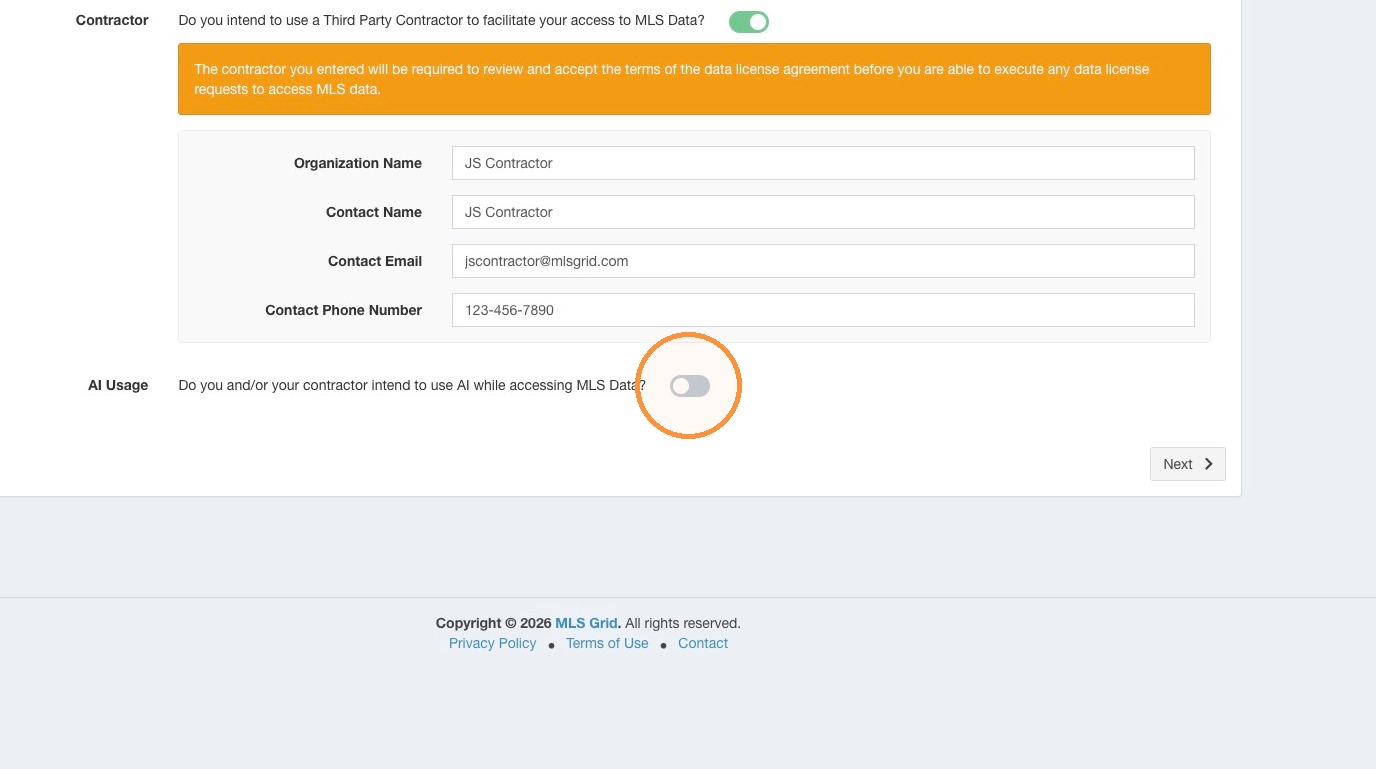
9\. Enable the AI Usage toggle.\
\
You will be required to accept the AI Addendum as part of signing the MLS Grid Data License Agreement. Click "Next" to continue.
#### AI Usage Disclosure
Alert: If you intend to use any MLS Data with AI (Artificial Intelligence, Large Language Models, etc.) you are required to enable the AI Usage toggle.\
\
You will be prompted as part of the Data License Review and Acceptance steps to agree to the AI Use Addendum.
9\. Enable the AI Usage toggle.\
\
You will be required to accept the AI Addendum as part of signing the MLS Grid Data License Agreement. Click "Next" to continue.
 #### MLS Selection
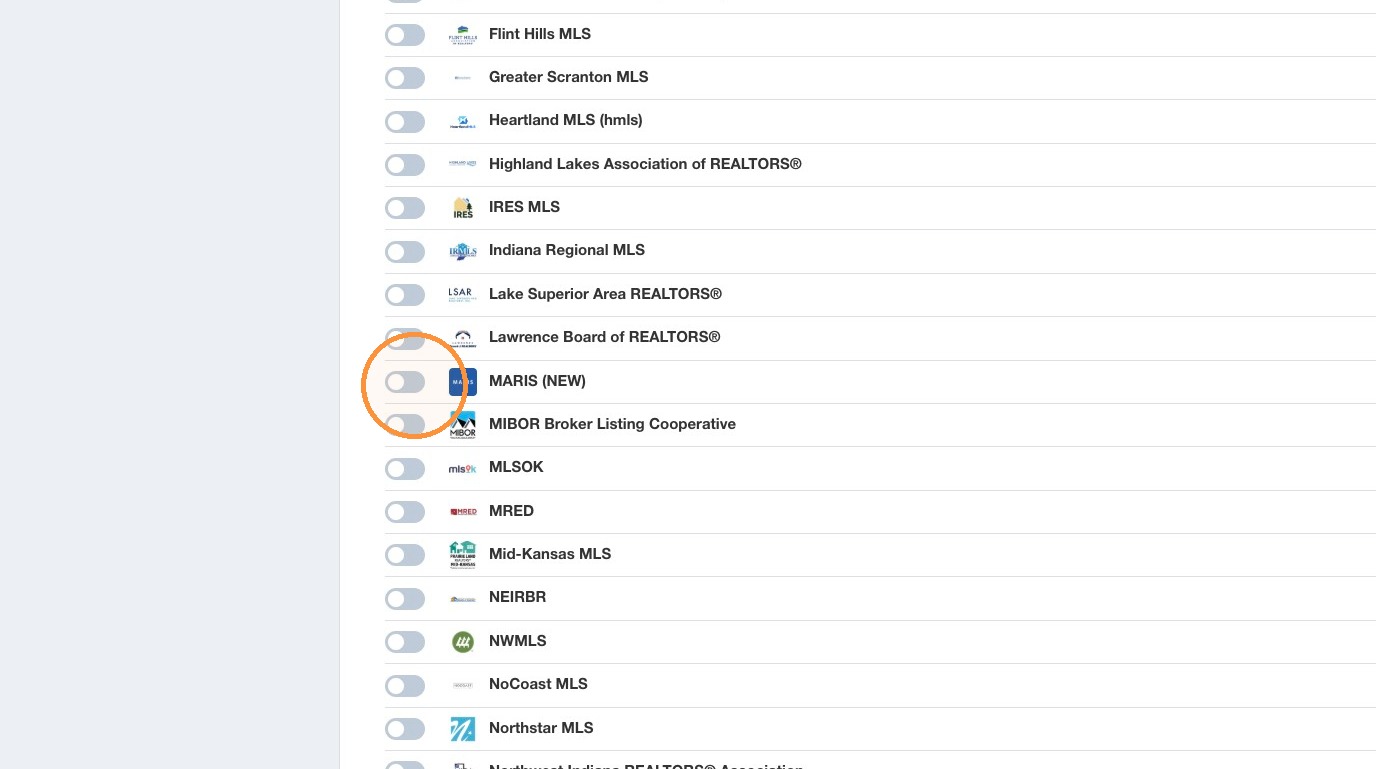
10\. Review the list of available MLS sources of data. Toggle "On" the MLS you may seek to obtain data from. To review the possible data license fees the MLS may charge for ongoing access to their data, click the under the "Pricing" column for that MLS to reveal their current data license fees.
#### MLS Selection
10\. Review the list of available MLS sources of data. Toggle "On" the MLS you may seek to obtain data from. To review the possible data license fees the MLS may charge for ongoing access to their data, click the under the "Pricing" column for that MLS to reveal their current data license fees.
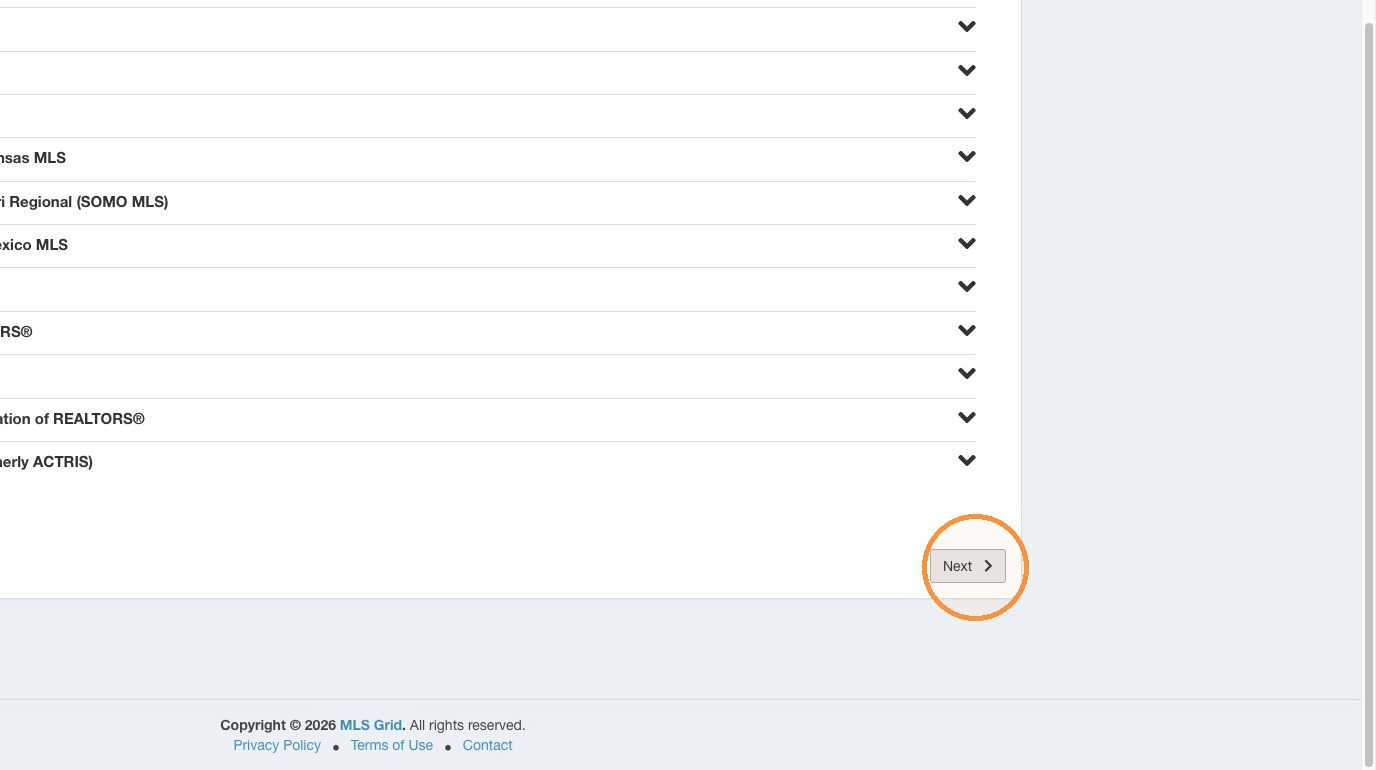
 11\. Click "Next"
 #### License Acceptance
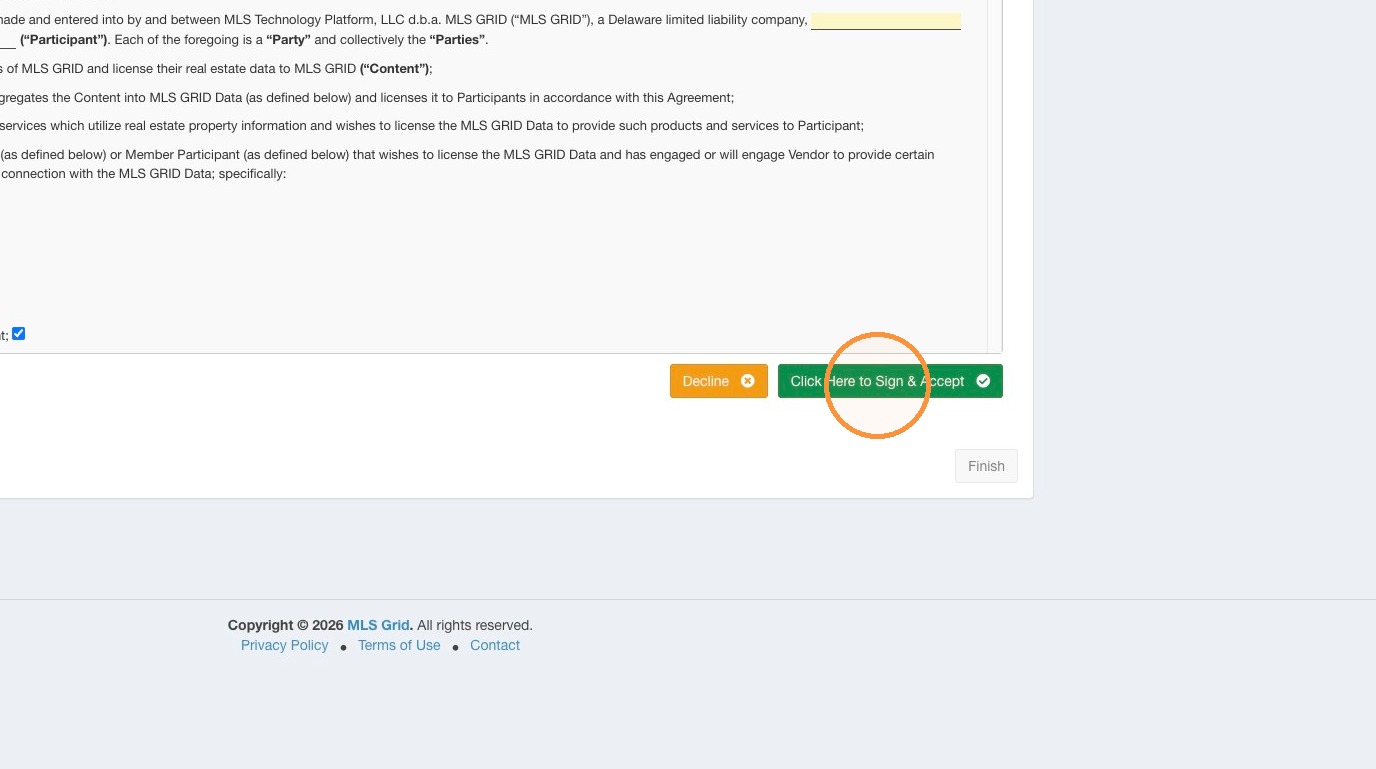
12\. Please read the MLS Grid Data License Agreement. When reviewed click "Click Here to Sign & Accept". Do not attempt to click into the MLS Grid Data License Agreement to edit any of the information.
#### License Acceptance
12\. Please read the MLS Grid Data License Agreement. When reviewed click "Click Here to Sign & Accept". Do not attempt to click into the MLS Grid Data License Agreement to edit any of the information.
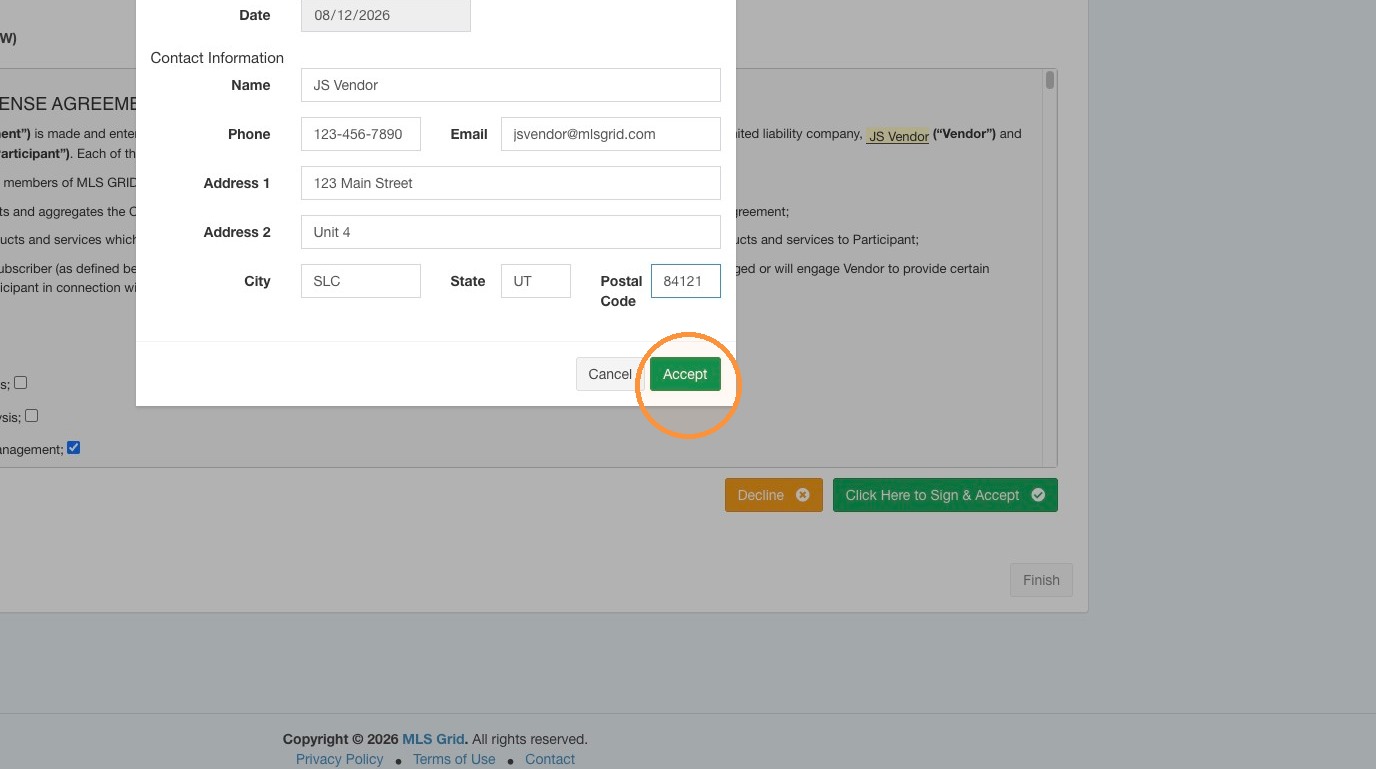
 13\. Enter the required information to complete your acceptance of the MLS Grid Data License Agreement.
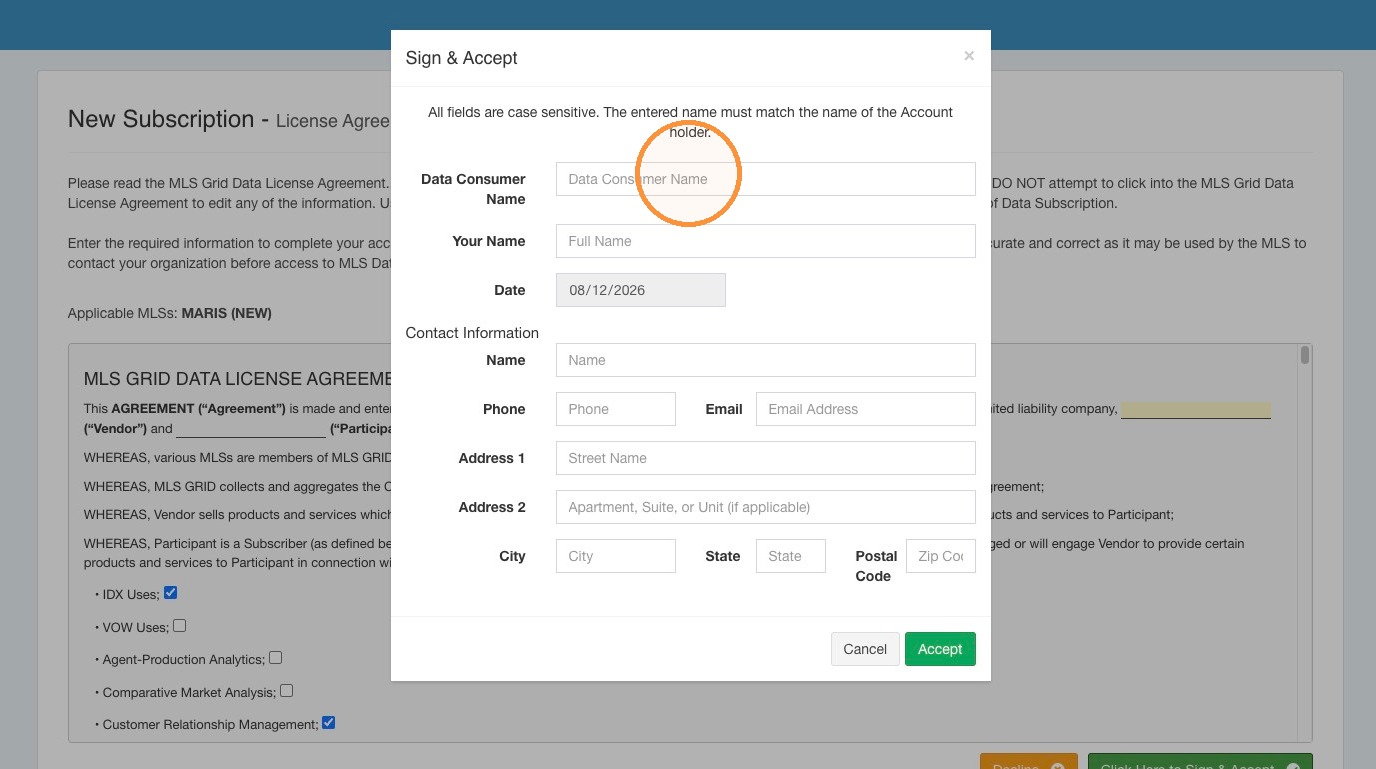 14\. Click Accept
 15\. If you disclosed your intention to use MLS Data with AI, you will be prompted as part of the Data License Review and Acceptance steps to agree to the AI Use Addendum.
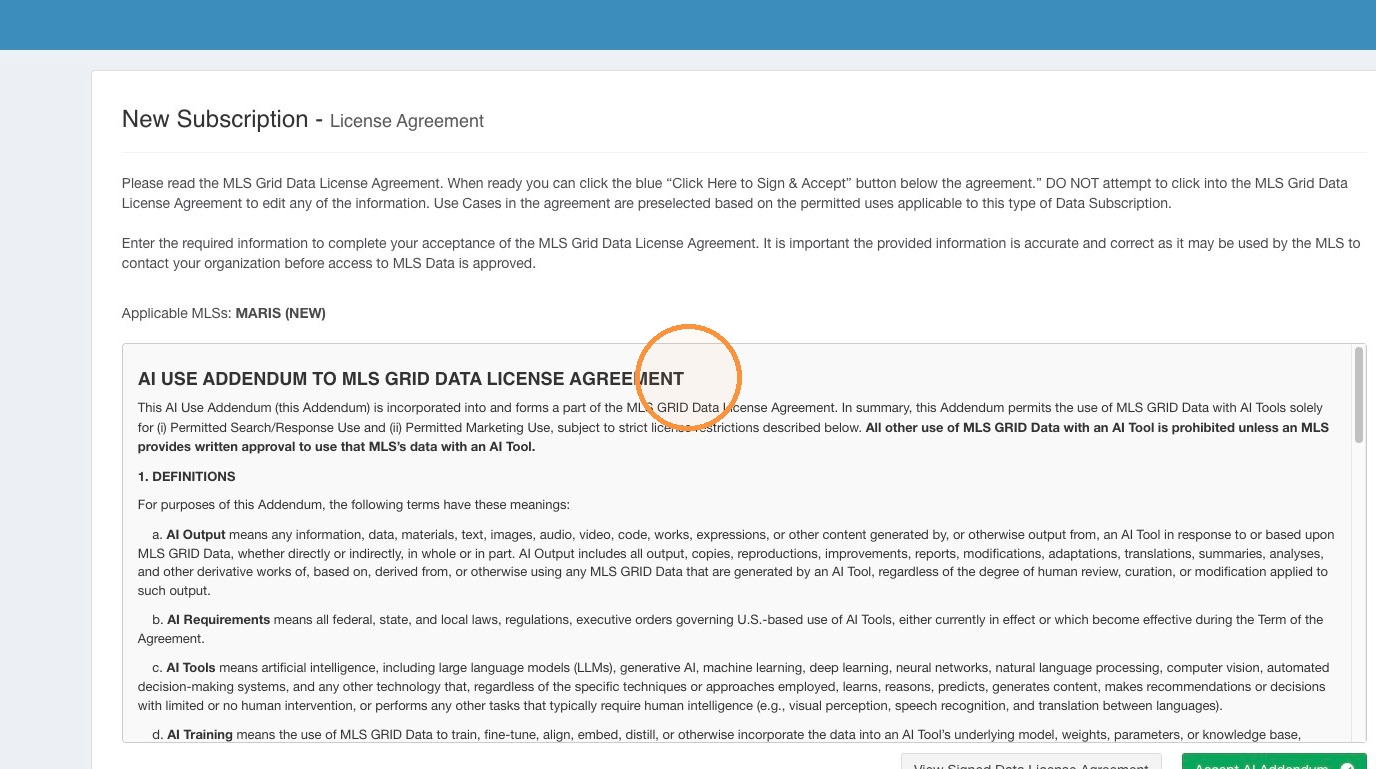 16\. Please read the AI Use Addendum carefully. Click "Accept AI Addendum".
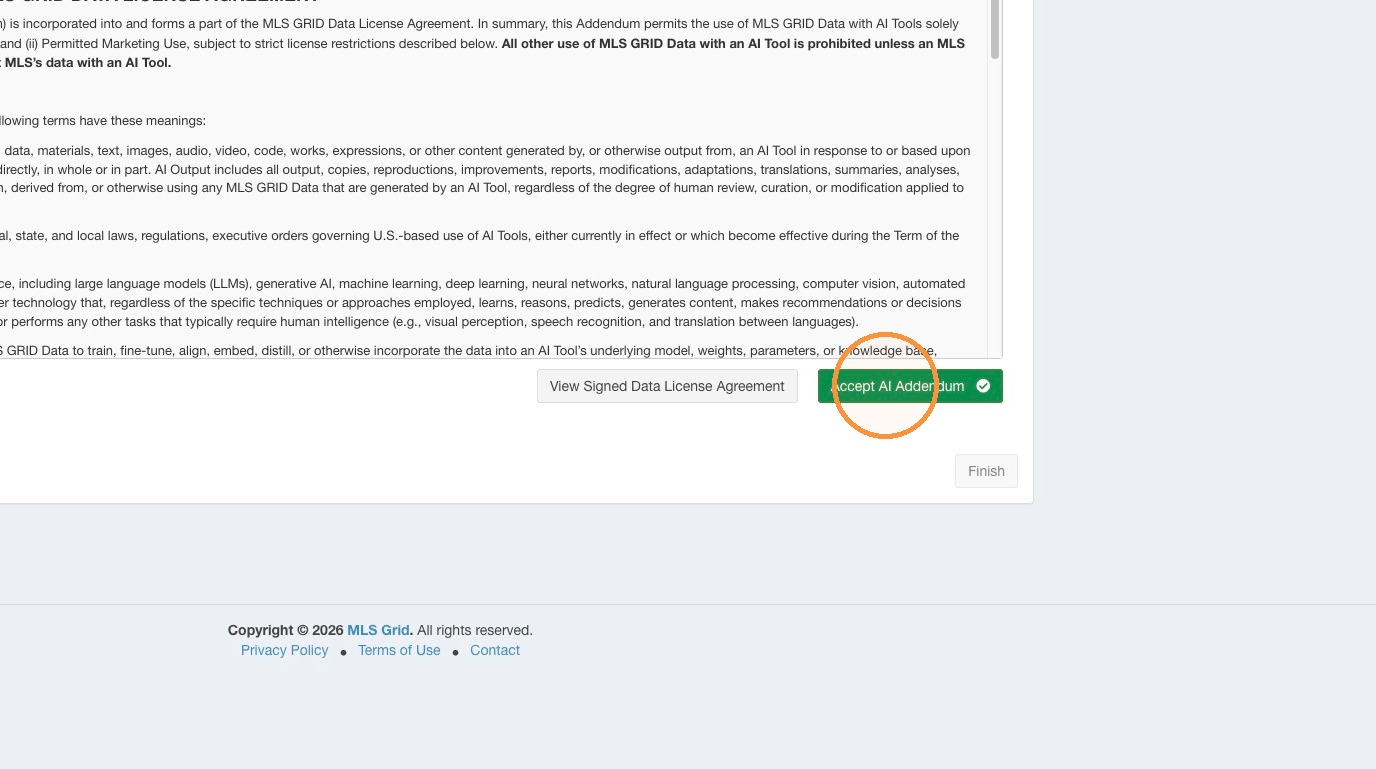 17\. Click Finish
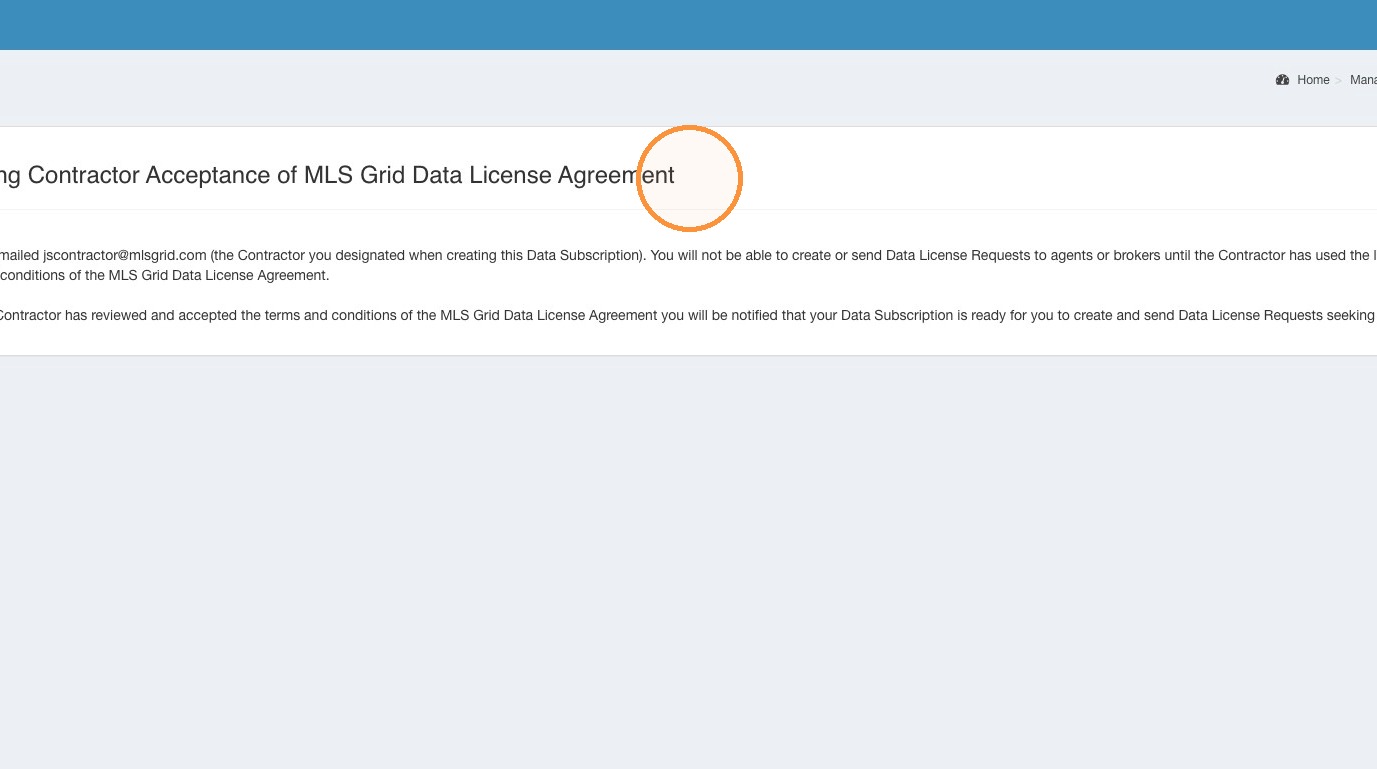
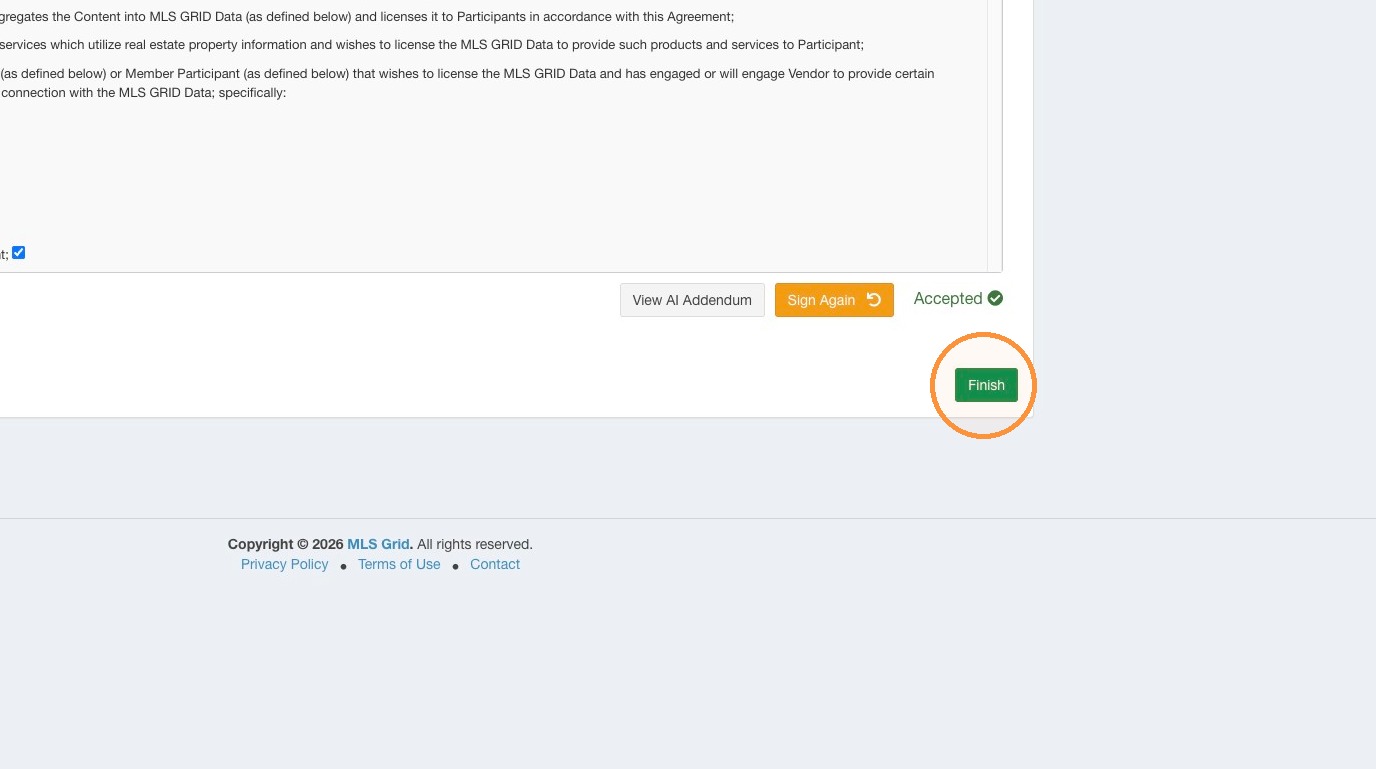 18\. If you disclosed you intend to use a 3rd Party Contractor to facilitate your access to MLS Grid you will be prohibited from proceeding until your 3rd Party Contractor has also accepted the MLS Grid Data License Agreement.\
\
Please contact your 3rd Party Contractor and ensure they have received and email from MLS Grid with a link to accept the MLS Grid Data License Agreement.
18\. If you disclosed you intend to use a 3rd Party Contractor to facilitate your access to MLS Grid you will be prohibited from proceeding until your 3rd Party Contractor has also accepted the MLS Grid Data License Agreement.\
\
Please contact your 3rd Party Contractor and ensure they have received and email from MLS Grid with a link to accept the MLS Grid Data License Agreement.
 #### Completed Data Subscription Setup
19\. Once you have completed all the License Acceptance steps you can begin to send Data License Requests seeking permission from your customers to petition the MLS for data access on their behalf.
#### Completed Data Subscription Setup
19\. Once you have completed all the License Acceptance steps you can begin to send Data License Requests seeking permission from your customers to petition the MLS for data access on their behalf.